Vizio Smart TV Remote
3.11.22KReviews
Analysis ByAppCompare
I like the idea of keeping a television remote on my phone, especially when the physical controller has disappeared between sofa cushions or its batteries have finally given up. Vizio Smart TV Remote is built for that simple situation: it turns an Android phone into a remote for Vizio Smart TVs. I reviewed it as a House & Home app from CodeMatics Media Solutions, and my overall impression is practical but cautious. It can be useful when the connection works, yet it is not the kind of utility I would install without first thinking about compatibility, permissions, and how much control I am comfortable giving a third-party remote app.
The app is free to install and is available to users aged Everyone. It has passed the one-million-install mark, with an average rating of 3.1 from around 6,300 ratings and roughly 1,200 written reviews. Those figures suggest that the concept is useful to many people, but the experience is not consistently smooth for everyone. I would treat it as a backup remote rather than an automatic replacement for the physical controller.
What the app is really useful for
The strongest use case is straightforward: I have a Vizio Smart TV, my original remote is missing or unusable, and I need basic control without buying another accessory immediately. That makes the app particularly convenient in a guest room, a holiday rental, a shared apartment, or a home where several people regularly move the remote from one room to another.
There is also a small but important difference between this app and a conventional universal remote. A physical universal remote usually requires batteries, pairing steps, and sometimes a code search. A phone-based remote is already close at hand, and I can use the phone keyboard when entering text on the television is supported by the app and TV connection. That can be less frustrating than pressing directional buttons repeatedly when searching for a show or entering a network password.
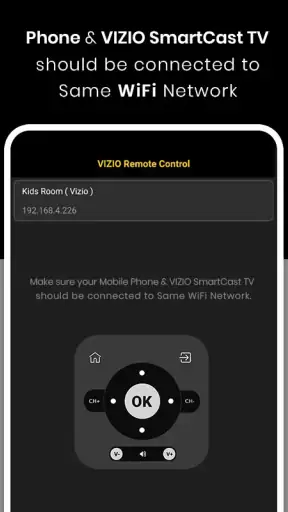
Still, I would not assume that installing it alone solves the problem. A remote app needs a way to communicate with the television, and the phone and TV generally need to be reachable through a compatible connection. If the television is not discoverable, is disconnected, or is waiting for an on-screen confirmation, the app cannot magically bypass that first setup hurdle. This is the first practical trade-off: the phone is convenient, but it depends more heavily on the home network and device state than a traditional infrared remote.
For that reason, I would install it while I still have access to the TV’s physical buttons or original remote. That gives me a way to check settings, wake the television, or approve a connection if the setup requires attention on the screen. Trying to configure a phone remote after losing every other means of controlling the TV can turn a simple recovery tool into a frustrating loop.
How I would use it in an ordinary home
Imagine that I am preparing dinner and want to lower the volume from across the room, but the physical remote is under a pile of laundry. I open the app, select the Vizio television, and use the phone as a temporary controller. That is where the app makes sense: quick adjustments, changing channels or inputs, and keeping control nearby while I move around the room.
Another realistic scenario is a household with children. The physical remote may be left in a different room, while a parent’s phone is already in hand. The app can be a convenient fallback, but I would avoid handing over my unlocked phone just to let someone else change the channel. A phone remote gives me control and convenience, but it also ties the television to a personal device that contains far more than a normal remote ever did.
That distinction matters when considering trust. A plastic remote has a narrow purpose. A smartphone app operates inside a device that may contain messages, photos, accounts, and work information. I therefore judge this app not only by whether its buttons work, but also by whether the installation and daily use feel understandable and controlled.
Compatibility and setup deserve patience
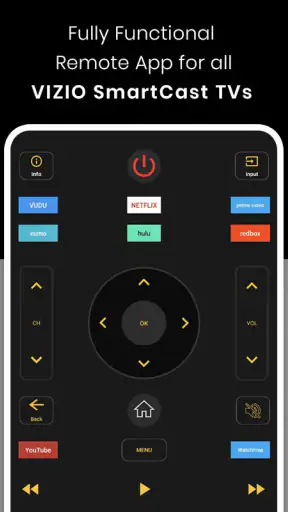
The app’s store summary describes it as a fully functional remote for Vizio Smart TVs, but that should not be read as a guarantee that every Vizio model, network arrangement, or phone behaves identically. Smart TV platforms change, routers separate devices into different network bands or guest networks, and privacy settings can affect local discovery. If the television does not appear, I would first check that both devices are connected to the same home network and that the TV is awake.
I would also turn off guest-network isolation if that is part of the router setup. Guest networks are often designed to prevent connected devices from seeing one another, which is useful for security but unhelpful for a phone trying to find a television. This is one of the less obvious reasons a remote app may seem broken even when the internet works perfectly on both devices.
A second useful habit is to test the app close to the television during the first connection. If the TV displays a confirmation prompt, I can respond immediately instead of wondering whether the app has frozen. Once the connection is established, I can test volume, navigation, power, and input controls separately. If only some functions respond, that points to a compatibility or TV-state issue rather than a problem with the phone’s touchscreen.
The current version is 1.46, and the app requires Android 7.0 or later. That makes it accessible on many older Android phones, which is helpful if I want to reuse an unused handset as a household remote. However, older hardware can also mean slower app startup, less reliable background behavior, or a battery that is already weak. I would not dedicate a phone to this role until I had confirmed that the app connects reliably in my own home.
Controls, permissions, and visible choices
My preferred way to evaluate a remote app is to look at what it asks for during installation and use, then decide whether each request makes sense for the task. A TV remote should have a clear reason for any permission or connection request it presents. I would read the Android permission prompts instead of tapping through them automatically, especially because the app is handling control of a device in my home.
When a permission appears, I would ask a simple question: does this help the phone discover or communicate with the television, or does it seem unrelated to remote control? If a request is optional, I would deny it and test the basic remote first. If the app cannot operate without a particular permission, I would want that dependency to be explained in plain language before accepting it.
This is also where the app’s free model deserves attention. The download costs nothing, but in-app purchases range from $1.49 to $25.99 per item. I would check the purchase screen carefully before confirming anything, particularly if the app is being used on a family phone or a device with shared payment access. A free installation does not mean every part of the experience is necessarily free, so I would avoid assuming that a payment prompt is required for basic TV control until I understand what it unlocks.
I also recommend checking the app’s notification behavior and any settings that affect how it remains available. A remote that sends unnecessary alerts can become annoying, while a remote that is aggressively closed by the phone may require repeated launches. I would rather open it when needed than give it more ongoing access than the task demands.
Account control is another point I consider important. For a simple television remote, I prefer an experience that lets me use the core function without creating an account. If the app presents a sign-in screen, I would pause and decide whether that account is genuinely needed for pairing or whether it is an optional service layer. I would not reuse an important password for a utility app, and I would avoid entering personal details that do not appear necessary for controlling the TV.
Where data sensitivity enters the experience
A remote app does not need to know what I am watching in order to send a volume command, but the phone and television may still exchange device information as part of discovery and control. I cannot responsibly describe that exchange in more detail than the app makes visible, so my advice is to pay attention to the permission dialog, privacy information, and any in-app explanation shown during setup.
The most sensitive moment is usually the first connection. I would make sure I am pairing with my own television and not another nearby device. In an apartment building or a crowded shared network, device names can be confusing. Giving the TV a recognizable name, if the television allows it, can reduce the chance of selecting the wrong target.
I would also avoid using the app on public Wi-Fi. A hotel, school, workplace, or café network is not the same as my private home network, and device discovery may be blocked or unpredictable there. More importantly, I would not want to expose a household television to a network where I do not understand who else can see connected devices. For travel, a physical remote or the TV’s own buttons may be the safer fallback.
Another data-sensitive situation occurs when I lend my phone to somebody else. The app itself may be harmless in that moment, but the phone is not just a remote. I would use a screen lock, avoid leaving the app open when I hand over the device, and consider whether a guest or child needs access to my phone at all. A dedicated old phone can separate the remote function from personal information, but only if it remains updated and protected.
Because the average rating is 3.1, I would not dismiss reports from users who describe connection trouble or inconsistent controls. A rating does not tell me the exact cause of every complaint, but it is a useful reminder that remote apps depend on combinations of phone model, Android behavior, TV firmware, router configuration, and permissions. I would test the app in my own environment before relying on it for a television that must be controlled every day.
What I like about the phone approach
The biggest advantage is availability. I am more likely to know where my phone is than where the remote is. The touchscreen also gives me a larger, more flexible surface than a small physical controller, and I can keep the app nearby while handling other tasks around the room.
Using a phone can be especially helpful for people who have difficulty reading tiny labels on a standard remote. A touchscreen can make the control layout easier to see, although the usefulness depends on how the app presents its buttons and how comfortable the user is with touch controls. It is also easier to type on a phone than to navigate a long on-screen keyboard with directional buttons.
The app is free to download, which lowers the risk of trying it. I can test it with my own Vizio TV before deciding whether it is worth keeping. That trial is important because the app’s value depends almost entirely on successful connection and comfortable daily control, not on the idea of a remote app by itself.
Where a physical or official alternative may win
I would choose a replacement physical remote if I need dependable power control, if several family members must use the TV without sharing a phone, or if the home network is unreliable. A physical remote is also better when the TV is offline, when the router is being replaced, or when I need to control the television before network setup is complete.
An official Vizio remote solution may be preferable when I want the closest match to the TV’s original controls and a support path designed around that television. A generic app such as this one can be more convenient in some homes, but it may not reproduce every specialized button or behave identically across all models. I would compare the controls I use most often rather than assuming that a familiar-looking remote includes every function I need.
A universal physical remote is another sensible option for a home with several brands of equipment. If I want to operate a soundbar, streaming box, and television from one controller, a dedicated universal remote may be less awkward than switching between several phone apps. The Vizio app is more focused: it makes sense when the main problem is controlling a Vizio Smart TV from an Android phone.
Who should try it, and who should skip it
I would recommend trying it to someone who owns a Vizio Smart TV, uses an Android phone running a compatible version of the operating system, and wants a free backup before spending money on replacement hardware. It is also a reasonable experiment for a household that regularly misplaces the physical remote and already keeps the TV and phone on a stable private network.
I would be more hesitant for someone who needs guaranteed reliability, wants a remote that works without Wi-Fi, or dislikes granting device permissions without detailed explanations. I would also skip it as a first choice for a person who wants one controller for several brands and home-theater components. In those cases, a physical universal remote or an official manufacturer option is likely to be a better fit.
People who are uncomfortable with in-app purchases should pay attention during setup and use the platform’s purchase confirmation controls carefully. The app costs nothing to download, but the listed purchase range means I would not let a child explore the payment screens unsupervised. That is a small precaution, but it is easy to take and avoids an unpleasant surprise.
My cautious verdict
Vizio Smart TV Remote is best understood as a convenient backup, not a guaranteed replacement for the original controller. I appreciate the practical idea: my phone is usually nearby, and a remote app can rescue an evening when the physical remote is missing. The free entry point makes testing easy, and the broad install base shows that the need is real.
At the same time, the modest average rating makes me keep expectations realistic. I would install it only after checking the Android requirement, prepare the TV and phone on the same private network, review every permission and purchase prompt, and test the basic controls before depending on it. I would also keep another way to operate the television during setup.
My final recommendation is therefore conditional. If I own a compatible Vizio Smart TV and want an inexpensive emergency remote, I would try it. If I need rock-solid control, offline operation, broad home-theater support, or clearly documented account and data choices before installation, I would choose a physical or official alternative instead. The app can be useful, but its convenience is earned only when the connection, controls, and privacy choices all make sense in my own home.
FAQ
What is Vizio Smart TV Remote, and what can it do?
Vizio Smart TV Remote is a mobile remote-control app designed to operate compatible Vizio Smart TVs from an Android or iOS device. After connecting the phone and television to the same Wi-Fi network, users can typically access essential controls such as power, volume, channel navigation, input selection, playback, and menu browsing. Some versions may also provide a keyboard or touchpad for easier text entry.
How do I connect the app to my Vizio Smart TV?
To connect the app, first make sure that your smartphone and Vizio Smart TV are connected to the same wireless network. Open the application, allow any requested local-network permissions, and select the television shown in the available-device list. Your TV may display a pairing request or PIN that must be confirmed on the phone. If the TV is not detected, restart both devices and verify that neither is using a guest network.
Does Vizio Smart TV Remote work with every Vizio television?
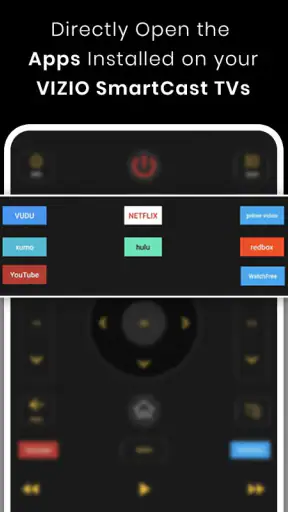
Compatibility depends on the specific remote app version and the model of your Vizio television. Most network-based remote applications are intended for Vizio SmartCast or other supported smart-TV models, while older televisions may not offer the required network-control features. Before downloading, check the app listing and your TV’s model information. Some functions, including power control or launching apps, may vary between models.
Can I use the app without Wi-Fi or when the original remote is missing?
A network-based Vizio remote app generally requires the phone and television to communicate through the same Wi-Fi network, so it will not normally work from mobile data alone or from a different location. If the TV has not yet been connected to Wi-Fi, initial setup can be difficult without the physical remote. Some apps advertise infrared support, but this only works on phones equipped with a compatible IR blaster.
Is Vizio Smart TV Remote free and safe to download?
Many Vizio remote applications are free to download, although they may include advertisements, optional purchases, or subscription features depending on the developer. Download the app only from the official Google Play Store or Apple App Store, review its developer name, ratings, permissions, and privacy information, and avoid unofficial APK files. The app should not require unrelated permissions, such as access to contacts or messages, to control a TV.
Pros
- Simple setup with quick pairing on compatible Vizio TVs.
- Convenient touch controls for volume
- channels
- and navigation.
- Useful keyboard feature for entering text faster than with buttons.
- Compact alternative when the physical remote is misplaced.
- Works over Wi‑Fi without requiring batteries or line-of-sight.
Cons
- Requires the phone and TV to use the same Wi‑Fi network.
- Compatibility may vary across older Vizio TV models.
- Some features may be limited behind ads or in-app purchases.
- Phone notifications or calls can interrupt remote controls.
- Wi‑Fi issues can cause delayed commands or connection drops.